Category Archives: AircraftTroubleshooting
What happens when you pull aluminum foil into the starter?
How does the LaserRef strapping work in a F50?
Italics is the setup before strap change, Thursday, April 25, 2008.


This restrap affected only the CALLOUT menu selection, it did not affect the EGPWS failure at all.
GPWS COMPUTER OK
GPWS EXTERNAL FAULTS:
IRS AHRS BUS 1 INACTIVE
IRS AHRS BUS 2 INACTIVE
———-
Envelope Modulation INOP
Terrain Awareness INOP
PROGRAM PIN CONFIGURATION:
Aircraft Type = 82
Audio Menu = 4
Altitude Callout Menu = 67
Alternate Volume 2 Selected
Lamp Format 2 Selected
Smart Callout Selected
Optional Inputs Selected
Windshear Caution with Voice Selected
Bank Angle Selected
Alternate Pop Up Selected
Peaks Enabled
Mode 6 Low Volume Selected
Steep Approach Enabled
Obstacle Awareness Enabled
RAW PROGRAM PIN STATES:
Program Pin 1 (TP-10A) = 3 (MP-15D)
Program Pin 2 (TP-10B) = 3 (MP-15D)
Program Pin 3 (TP-10C) = 2 (MP-03A or Gnd)
Program Pin 4 (MP-04D) = 4 (MP-03D)
Program Pin 5 (MP-04B) = 1 (Open)
Program Pin 6 (MP-08A) = 6 (TP-12C)
Program Pin 7 (MP-14D) = 2 (MP-03A or Gnd)
Program Pin 8 (MP-05A) = 5 (MP-07B)
Program Pin 9 (MP-02C) = 1 (Open)
Program Pin 10 (MP-04A) = 1 (Open)
Program Pin 11 (MP-04C) = 4 (MP-03D)
Program Pin 12 (TP-05B) = 9 (TP-12B)
Program Pin 13 (MP-05B) = 3 (MP-15D)
Program Pin 14 (TP-02C) = 2 (MP-03A or Gnd)
Program Pin 15 (MP-15C) = 2 (MP-03A or Gnd)
Program Pin 16 (MP-08B) = 1 (Open)
Program Pin 17 (TP-06D) = 2 (MP-03A or Gnd)
Program Pin 18 (MP-15A) = 1 (Open)
Program Pin 19 (MP-15B) = 1 (Open)
Bold Text is status after re-strap.
Red is the differences
> ps
EGPWC CONFIGURATION:
PART NUMBER: 965-0976-040-212-212
MOD STATUS: 08
SERIAL NUMBER: 8524
APPLICATION S/W VERSION: 212.2
CONFIGURATION S/W VERSION: 212
TERRAIN DATABASE VERSION: 448
ENVELOPE MOD DATABASE VERSION: B07
BOOT CODE VERSION: B101.2
CURRENT FAULTS:
GPWS COMPUTER OK
GPWS EXTERNAL FAULTS:
IRS AHRS BUS 1 MAGNETIC TRACK FAULT UPD
IRS AHRS BUS 2 MAGNETIC TRACK FAULT UPD
———-
Terrain Awareness – No Valid True Heading
Terrain Awareness – No Valid Roll
PROGRAM PIN CONFIGURATION:
Aircraft Type = 82
Audio Menu = 4
Altitude Callout Menu = 66
Alternate Volume 2 Selected
Lamp Format 2 Selected
Smart Callout Selected
Optional Inputs Selected
Windshear Caution with Voice Selected
Bank Angle Selected
Alternate Pop Up Selected
Peaks Enabled
Mode 6 Low Volume Selected
Steep Approach Enabled
Obstacle Awareness Enabled
RAW PROGRAM PIN STATES:
Program Pin 1 (TP-10A) = 3 (MP-15D)
Program Pin 2 (TP-10B) = 3 (MP-15D)
Program Pin 3 (TP-10C) = 2 (MP-03A or Gnd)
Program Pin 4 (MP-04D) = 3 (MP-15D)
Program Pin 5 (MP-04B) = 1 (Open)
Program Pin 6 (MP-08A) = 6 (TP-12C)
Program Pin 7 (MP-14D) = 2 (MP-03A or Gnd)
Program Pin 8 (MP-05A) = 5 (MP-07B)
Program Pin 9 (MP-02C) = 1 (Open)
Program Pin 10 (MP-04A) = 1 (Open)
Program Pin 11 (MP-04C) = 4 (MP-03D)
Program Pin 12 (TP-05B) = 9 (TP-12B)
Program Pin 13 (MP-05B) = 3 (MP-15D)
Program Pin 14 (TP-02C) = 2 (MP-03A or Gnd)
Program Pin 15 (MP-15C) = 2 (MP-03A or Gnd)
Program Pin 16 (MP-08B) = 1 (Open)
Program Pin 17 (TP-06D) = 2 (MP-03A or Gnd)
Program Pin 18 (MP-15A) = 1 (Open)
Program Pin 19 (MP-15B) = 1 (Open)
How do I make paece with the AoA Harmonizer in a Falcon 50?
This is the best that the Help Desk and/or Dassault Lit could come up with


How do I come to terms with a recalcitrant Field 5 installation?
This from Brian Ray at the help desk.
This is typical troubleshooting information we provide. Sift thru and see what might apply..
For Field 5 How to guides, FAQ and training documents please visit:
FIELD 5 How-To Guides and FIELD FAQ online
For the sake of troubleshooting, you please send us following files from the computer on which you’re experiencing the issue?
| File | Location |
| System Info |
|
| (…)Gallery.xml + (…)GallerySetting.xml | Windows XP: C:\Documents and Settings \[windows user logon]\Application Data\FIELD 5\Gallery\(…)Gallery.xmlC:\Documents and Settings \[windows user logon]\Application Data\FIELD 5\Gallery\(…)GallerySetting.xmlVISTA and Windows 7: C:\users\[currentusername]\AppData\Roaming\FIELD 5\Gallery\(…)Gallery.xml C:\users\[currentusername]\AppData\Roaming\FIELD 5\Gallery\(…)GallerySetting.xmlTo display “AppData”, proceed as follows: – select “Organize” – select “Folder and search options” – select “view” tab – activate “show hidden files” option |
| SharedGallery.xml | Windows XP: [C:\Field5\collections]\SharedGallery.xmlVISTA and Windows 7: [C:\Field5\collections]\SharedGallery.xml |
| FIELD_5.log | Windows XP: C:\ Documents and Settings \[windows user logon]\Application Data\FIELD 5\Log\FIELD_5Log.txtVISTA and Windows 7: C:\users\[currentusername]\AppData\Roaming\FIELD 5\Log\FIELD_5.logTo display “AppData”, proceed as follows: – select “Organize” – select “Folder and search options” – select “view” tab – activate “show hidden files” option |
Could you please confirm you’re trying to install FIELD 5 online through Falcon Portal? In case you are, could you please provide me with the Falcon Portal ID you’re using?
In case your Internet access goes through a firewall or proxy, could you please check with your IT if following settings are implemented at firewall/proxy level?
- HTTP Port 80 open
- TCP Port 80 open
- Domain “field5.myfalcon-techpub.com” authorized
In case you’re using Firefox or Chrome, could you please proceed as described below (information also available on Falcon Portal under “Library>Field>FAQ”):
??Yes you can run FIELD 5 online (from Falcon Portal) using Firefox. However, it appeared that Microsoft ClickOnce technology is not fully supported following upon Firefox upgrade (from version 3.5). The fix for this consists in installing the Microsoft .NET Framework Assistant plugin from Mozilla addons before running FIELD 5 installation online. This is the only Microsoft official add-on; it requires .NET 3.5 SP1.
?Yes you can run FIELD 5 online (from Falcon Portal) using Chrome. However, it appeared that Microsoft ClickOnce technology is not fully supported with Chrome. The fix for this consists in installing the ClickOnce for Google Chrome extension before running FIELD 5 installation online.
Regards,
Brian Ray
Falcon Jet Technical Center
Teterboro, NJ
MOSTLY RESOLVED
|
|||

Brian,
To recap.
We have 3 collections from USBKey installed and running correctly.
We were forced to :
1. uninstall field.
2. find and rename C:/field5/
3. find and rename c:/users/…….roaming/
reinstall field from usb stick.
reinstall collections.
repeated process 2 times.
all worked good.
The only problem we have is a nag window every time we open Field
No Sweat, No problem.
I get the idea that I am mismanaging the “set Default Collection Path”…..and “Install a collection from local disk.” …… Seems like I am making conflicting choices, as with many things in my life.
Attached:
Screen cap of system info.
Screen cap of nag window.
Thanks Brian. You and Aron got us going. Could you please forward this to Aron, and thank him as well.?
What are the problems with the f50 number 2 com?
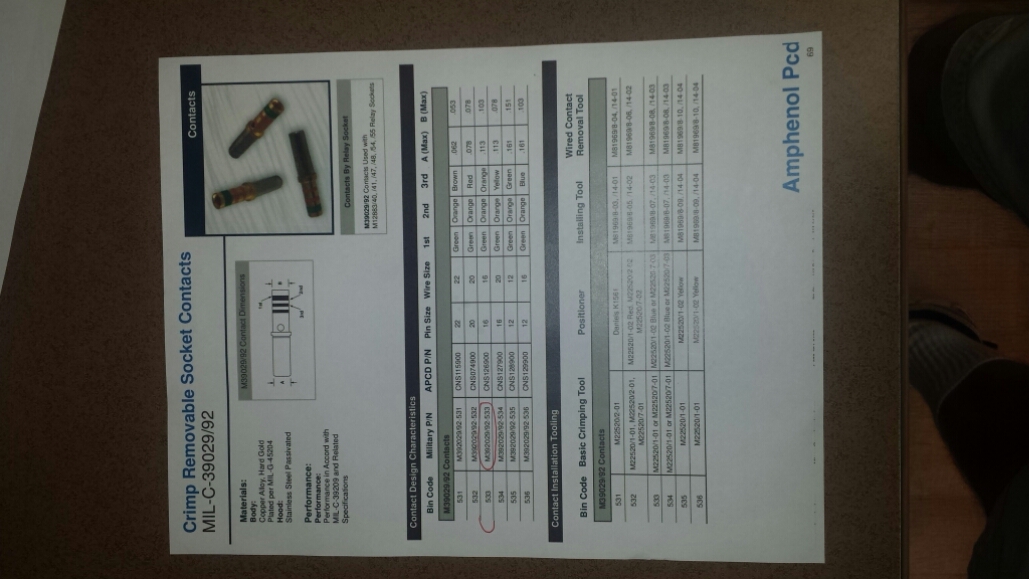
Loose crimps on the coax ends.
Now the number 2 com ha slight crackle. Worse in climb. Best at 160 lts, slats out gear out.
Coax fitting near outflow valve?
Still marginal coax fittings?
To antenna vibration.
Slightly higher vswr in flight.
How could a brand new anti-skid tach gen fail when brand new.
We had water damage on 5 of 6 transducers recently on a F900B model. Here is one of the 5 (!) BRAND NEW antiskid transducers that failed the 550 to 750 Ohm test RIGHT OUT OF THE BOX.
We paid $25,000 for 6 of these little devils. Falcon jets response was to issue a letter that said “don’t worry about it”
What a joke. I think it would be better to rotate stock on old c______ TachGens and continue to rebuild them rather than replace with new c2______-1
What are the part numbers for switches used in passenger PSU on a European Falcon 900?
where do I start on a squib management program?
How do I type a replacement compass card for a Falcon 900
Here is one up on google docs that is all sqweezed in to fit on the windshield post holder
https://docs.google.com/spreadsheet/ccc?key=0AvsyCSy97vCJdGg4b09oTDdIRmFyN2pHQ0pObjJTU3c&usp=sharing